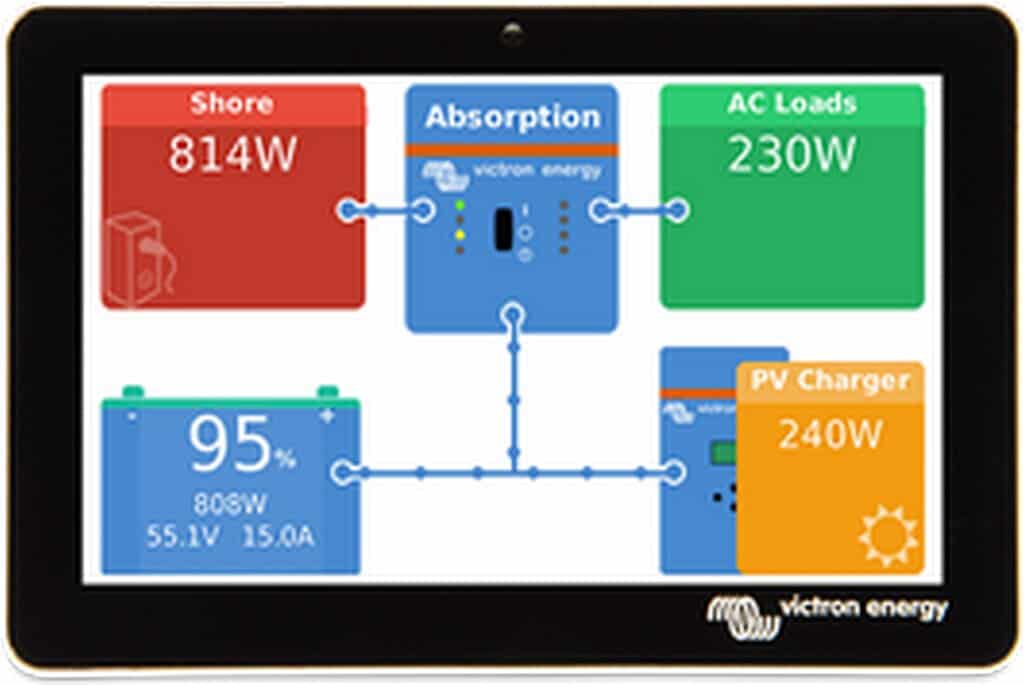
Victron Cerbo GX Touch 70

Available for backorder

Original price was: € 418.66.Current price is: € 355.86.

Victron Cerbo GX Touch 70 – We'd be happy to provide you with more information about this product. Please contact us.

BPP900455070

Available for backorder

Victron Cerbo GX Touch 70

Victron Cerbo GX Touch 70 Victron GX Touch 70 The GX Touch 70 is the 7-inch touchscreen display for the Cerbo GX and Cerbo GX MK2. The screen displays the Remote Console of the GX device, thereby providing full local control: system overview, live measurements, and all settings, without a phone, laptop, or internet connection. The display connects to the GX device with a single cable and is screwed onto a panel or dashboard. Applications Seven inches offers space: for systems with many connected components, the overview remains legible and menus are more comfortable to operate, even at a somewhat greater viewing distance. Mounting does not require a rectangular cutout — drilling four holes and screwing it in place is sufficient. The waterproof design and the included protective cover make it suitable for helm stations and outdoor installations. * Marine: helm station, glass bridge, and cabin panel * Motorhome and commercial vehicle: dashboard or service cabinet * ESS, home battery, and off-grid: local control at the installation * Systems with many components where readability matters Full control via the screen The Remote Console of the connected GX device appears on the display. Battery status, consumption, PV, generator, and grid power, tank levels, and temperatures are visible at a glance. Settings for the GX device and for components connected via VE.Direct and VE.Bus can be adjusted directly on the screen. Configuration is not required: the system overview appears automatically after connection. You can set a switch-off time and enable adaptive brightness via Settings → General → Display & Appearance. One cable The display is connected using the included 2-meter combined cable: an HDMI connector for the video signal and a USB connector for power. On the first generation Cerbo GX, the USB side must be inserted into the port next to the HDMI connection; On the Cerbo GX MK2, this is possible on any of the three USB ports. Always connect the display before switching on the GX device. HDMI and USB extension cables are available for longer distances. Mounting The screen is attached to the front panel using the included bracket frames; a rectangular cutout is not required. Victron publishes a drilling template; see the documentation below. A separate wall bracket is available for wall mounting. Waterproof and protected The front is IP54 rated, measured without connectors. Starting from serial number HQ2242, a protective cover is included that shields the display against water, dust, and UV radiation during prolonged exposure to the sun. Touch control can be disabled The touch function can be disabled via a push button on a digital input of the GX device, or with the Pause/Break key of a connected USB keyboard. This ensures the screen remains visible without unauthorized persons being able to change settings; operation via the Remote Console remains possible. Documentation * Cerbo GX Manual including GX Touch (NL, HTML5) (https://www.victronenergy.com/media/pg/Cerbo_GX/nl/index-nl.html) * Cerbo GX Manual including GX Touch (EN, HTML5) (https://www.victronenergy.com/media/pg/Cerbo_GX/en/index-en.html) * Cerbo GX Manual (EN, PDF) (https://www.victronenergy.com/upload/documents/Cerbo_GX/140558-Ekrano_GX__Venus_GX__Cerbo_GX__Cerbo-S_GX_Manual-pdf-en.pdf) * Cerbo GX & GX Touch Datasheet (EN, PDF) (https://www.victronenergy.com/upload/documents/Datasheet-Cerbo-GX-GX-Touch-EN.pdf) * Dimensional Drawing (PDF) (https://www.victronenergy.com/upload/documents/GX-Touch-70.pdf) * Drilling jig (PDF) (https://www.victronenergy.com/upload/documents/Drilling-jig-GX-Touch-70_edit.pdf) * 3D Dimensioning (PDF) (https://www.victronenergy.com/upload/documents/GX-Touch-70-(3D).pdf) * 3D model (STEP) (https://www.victronenergy.com/upload/documents/GX-Touch-70-(step).STEP) * EU Declaration of Conformity – GX Devices (PDF) (https://www.victronenergy.com/upload/documents/GX-devices-Cerbo-Ekrano-Color-Control-Venus-Octo-EU-DOC-RED.pdf) * Victron Energy ISO 9001 Certificate (PDF) (https://www.victronenergy.com/upload/documents/ISO9001-certificate-2024-EN.pdf) * Victron GX product range – Venus OS documentation (EN) (https://www.victronenergy.com/live/venus-os:start) Victron Energy does not publish a separate manual for this display; installation and operation are described in the Cerbo GX manual, which is available in Dutch. The datasheet and certificates are exclusively in English. Videos * Unboxing the new Cerbo GX & GX Touch 50 screen (Victron Energy, EN) (https://youtu.be/3wheKaU2_qw) * Did You Know – Changing the logo on a GX device (Victron Energy, EN) (https://youtu.be/8pR9utgkjSI) Contact Are you unsure whether to choose the 5-inch or 7-inch version, or surface-mount or flush-mount? Our specialists are happy to assist you with display selection, cable length, and system configuration. Please contact us (https://www.top.systems/nl/contact/). Specifications Type: Touchscreen display, 7 inch Suitable for: Cerbo GX and Cerbo GX MK2 Display resolution: 1024 x 600 pixels Dimensions (hxwxd): 113 x 176 x 13.5 mm Protection class: IP54 (without connectors) Connection: HDMI (video) and USB (power), combined cable Cable length: 2 meters Mounting: On top of panel, bracket frames included Included: Connection cable, mounting material, protective cover (from serial number HQ2242) Manufacturer: Victron Energy Warranty: 5 years We would be happy to provide you with more information about this product. Please contact us contact join us.
an electric sloop? See our full range.